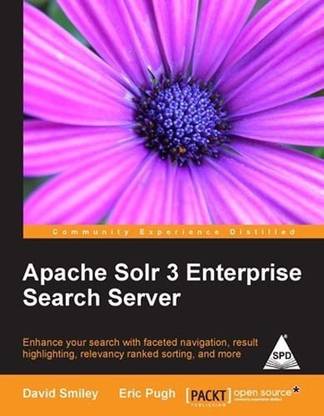
Apache Solr 3 Enterprise Search Server (English, Paperback, Smiley David)
- Language: English
- Binding: Paperback
- Publisher: Packt
- ISBN: 9789350235966, 9789350235966
- Pages: 428
If you are a developer building an app today then you know how important a good search experience is. Apache Solr, built on Apache Lucene, is a wildly popular open source enterprise search server that easily delivers powerful search and faceted navigation features that are elusive with databases. Solr supports complex search criteria, faceting, result highlighting, query-completion, query spell-check, relevancy tuning, and more.
Apache Solr 3 Enterprise Search Server is a comprehensive reference guide for every feature Solr has to offer. It serves the reader right from initiation to development to deployment. It also comes with complete running examples to demonstrate its use and show how to integrate Solr with other languages and frameworks.
Through using a large set of metadata about artists, releases, and tracks courtesy of the MusicBrainz.org project, you will have a testing ground for Solr, and will learn how to import this data in various ways. You will then learn how to search this data in different ways, including Solr's rich query syntax and "boosting" match scores based on record data.
Finally, we'll cover various deployment considerations to include indexing strategies and performance-oriented configuration that will enable you to scale Solr to meet the needs of a high-volume site.
What you will learn from this book :
- Design a schema to include text indexing details like tokenization, stemming, and synonyms
- Import data using various formats like CSV, XML, and from databases, and extract text from common document formats
- Search using Solr’s rich query syntax, perform geospatial searches, and influence relevancy order
- Enhance search results with faceting, query spell-checking, auto-completing queries, highlighted search results, and more
- Integrate a host of technologies with Solr from the server side to client-side JavaScript, to frameworks like Drupal
- Scale Solr by learning how to tune it and how to use replication and sharding
Approach
The book is written as a reference guide. It includes fully working examples based on a real-world public data set.
Who this book is written for
This book is for developers who want to learn how to use Apache Solr in their applications. Only basic programming skills are needed.
About the Author
Born to code, David Smiley is a senior software engineer, book author, conference speaker, and instructor. He has 12 years of experience in the defense industry at MITRE, specializing in Java and Web technologies. David is the principal author of "Solr 1.4 Enterprise Search Server", the first book on Solr, published by PACKT in 2009. He also developed and taught a two-day course on Solr for MITRE. David plays a lead technical role in a large-scale Solr project in which he has implemented geospatial search based on geohash prefixes, wildcard ngram query parsing, searching multiple multi-valued fields at coordinated positions, part-of-speech search using Lucene payloads, and other things. David consults as a Solr expert on numerous projects for MITRE and its government sponsors. He has contributed code to Lucene and Solr and is active in the open-source community. Prior to his Solr work, David first used Lucene back in 2000, as well as Hibernate-Search and Compass since then. He also used the competing Endeca commercial product, too, but hopes to never use it again.
Fascinated by the 'craft' of software development, Eric Pugh has been heavily involved in the open source world as a developer, committer, and user for the past five years. He is an emeritus member of the Apache Software Foundation and lately has been mulling over how we solve the problem of finding answers in datasets when we don’t know the questions ahead of time to ask.
In biotech, financial services, and defense IT, he has helped European and American companies develop coherent strategies for embracing open source search software. As a speaker, he has advocated the advantages of Agile practices with a focus on testing in search engine implementation.
Eric became involved with Solr when he submitted the patch SOLR-284 for Parsing Rich Document types such as PDF and MS Office formats that became the single most popular patch as measured by votes! The patch was subsequently cleaned up and enhanced by three other individuals, demonstrating the power of the open source model to build great code collaboratively. SOLR-284 was eventually refactored into Solr Cell as part of Solr version 1.4.
He blogs at http://www.opensourceconnections.com/.
Table of Contents
Preface
Chapter 1: Quick Starting Solr
- An introduction to Solr
- Lucene, the underlying engine
- Solr, a Lucene-based search server
- Comparison to database technology
- Getting started
- Solr's installation directory structure
- Solr's home directory and Solr cores
- Running Solr
- A quick tour of Solr
- Loading sample data
- A simple query
- Some statistics
- The sample browse interface
- Configuration files
- Resources outside this book
- Summary
- MusicBrainz.org
- One combined index or separate indices
- One combined index
- Problems with using a single combined index
- Separate indices
- Schema design
- Step 1: Determine which searches are going to be powered by Solr
- Step 2: Determine the entities returned from each search
- Step 3: Denormalize related data
- Denormalizing—'one-to-one' associated data
- Denormalizing—'one-to-many' associated data
- Step 4: (Optional) Omit the inclusion of fields only used in search results
- The schema.xml file
- Defining field types
- Built-in field type classes
- Numbers and dates
- Geospatial
- Field options
- Field definitions
- Dynamic field definitions
- Our MusicBrainz field definitions
- Copying fields
- The unique key
- The default search field and query operator
- Text analysis
- Configuration
- Experimenting with text analysis
- Character filters
- Tokenization
- WordDelimiterFilter
- Stemming
- Correcting and augmenting stemming
- Synonyms
- Index-time versus query-time, and to expand or not
- Stop words
- Phonetic sounds-like analysis
- Substring indexing and wildcards
- ReversedWildcardFilter
- N-grams
- N-gram costs
- Sorting Text
- Miscellaneous token filters
- Summary
- Communicating with Solr
- Direct HTTP or a convenient client API
- Push data to Solr or have Solr pull it
- Data formats
- HTTP POSTing options to Solr
- Remote streaming
- Solr's Update-XML format
- Deleting documents
- Commit, optimize, and rollback
- Sending CSV formatted data to Solr
- Configuration options
- The Data Import Handler Framework
- Setup
- The development console
- Writing a DIH configuration file
- Data Sources
- Entity processors
- Fields and transformers
- Example DIH configurations
- Importing from databases
- Importing XML from a file with XSLT
- Importing multiple rich document files (crawling)
- Importing commands
- Delta imports
- Indexing documents with Solr Cell
- Extracting text and metadata from files
- Configuring Solr
- Solr Cell parameters
- Extracting karaoke lyrics
- Indexing richer documents
- Update request processors
- Summary
- Your first search, a walk-through
- Solr's generic XML structured data representation
- Solr's XML response format
- Parsing the URL
- Request handlers
- Query parameters
- Search criteria related parameters
- Result pagination related parameters
- Output related parameters
- Diagnostic related parameters
- Query parsers and local-params
- Query syntax (the lucene query parser)
- Matching all the documents
- Mandatory, prohibited, and optional clauses
- Boolean operators
- Sub-queries
- Limitations of prohibited clauses in sub-queries
- Field qualifier
- Phrase queries and term proximity
- Wildcard queries
- Fuzzy queries
- Range queries
- Date math
- Score boosting
- Existence (and non-existence) queries
- Escaping special characters
- The Dismax query parser (part 1)
- Searching multiple fields
- Limited query syntax
- Min-should-match
- Basic rules
- Multiple rules
- What to choose
- A default search
- Filtering
- Sorting
- Geospatial search
- Indexing locations
- Filtering by distance
- Sorting by distance
- Summary
- Scoring
- Query-time and index-time boosting
- Troubleshooting queries and scoring
- Dismax query parser (part 2)
- Lucene's DisjunctionMaxQuery
- Boosting: Automatic phrase boosting
- Configuring automatic phrase boosting
- Phrase slop configuration
- Partial phrase boosting
- Boosting: Boost queries
- Boosting: Boost functions
- Add or multiply boosts?
- Function queries
- Field references
- Function reference
- Mathematical primitives
- Other math
- ord and rord
- Miscellaneous functions
- Function query boosting
- Formula: Logarithm
- Formula: Inverse reciprocal
- Formula: Reciprocal
- Formula: Linear
- How to boost based on an increasing numeric field
- Step by step…
- External field values
- How to boost based on recent dates
- Step by step…
- Summary
- A quick example: Faceting release types
- MusicBrainz schema changes
- Field requirements
- Types of faceting
- Faceting field values
- Alphabetic range bucketing
- Faceting numeric and date ranges
- Range facet parameters
- Facet queries
- Building a filter query from a facet
- Field value filter queries
- Facet range filter queries
- Excluding filters (multi-select faceting)
- Hierarchical faceting
- Summary
- About components
- The Highlight component
- A highlighting example
- Highlighting configuration
- The regex fragmenter
- The fast vector highlighter with multi-colored highlighting
- The SpellCheck component
- Schema configuration
- Configuration in solrconfig.xml
- Configuring spellcheckers (dictionaries)
- Processing of the q parameter
- Processing of the spellcheck.q parameter
- Building the dictionary from its source
- Issuing spellcheck requests
- Example usage for a misspelled query
- Query complete / suggest
- Query term completion via facet.prefix
- Query term completion via the Suggester
- Query term completion via the Terms component
- The QueryElevation component
- Configuration
- The MoreLikeThis component
- Configuration parameters
- Parameters specific to the MLT search component
- Parameters specific to the MLT request handler
- Common MLT parameters
- MLT results example
- The Stats component
- Configuring the stats component
- Statistics on track durations
- The Clustering component
- Result grouping/Field collapsing
- Configuring result grouping
- The TermVector component
- Summary
- Deployment methodology for Solr
- Questions to ask
- Installing Solr into a Servlet container
- Differences between Servlet containers
- Defining solr.home property
- Logging
- HTTP server request access logs
- Solr application logging
- Configuring logging output
- Logging using Log4j
- Jetty startup integration
- Managing log levels at runtime
- A SearchHandler per search interface?
- Leveraging Solr cores
- Configuring solr.xml
- Property substitution
- Include fragments of XML with XInclude
- Managing cores
- Why use multicore?
- Monitoring Solr performance
- Stats.jsp
- JMX
- Starting Solr with JMX
- Securing Solr from prying eyes
- Limiting server access
- Securing public searches
- Controlling JMX access
- Securing index data
- Controlling document access
- Other things to look at
- Summary
- Working with included examples
- Inventory of examples
- Solritas, the integrated search UI
- Pros and Cons of Solritas
- SolrJ: Simple Java interface
- Using Heritrix to download artist pages
- SolrJ-based client for Indexing HTML
- SolrJ client API
- Embedding Solr
- Searching with SolrJ
- Indexing
- When should I use embedded Solr?
- In-process indexing
- Standalone desktop applications
- Upgrading from legacy Lucene
- Using JavaScript with Solr
- Wait, what about security?
- Building a Solr powered artists autocomplete widget with jQuery
- and JSONP
- AJAX Solr
- Using XSLT to expose Solr via OpenSearch
- OpenSearch based Browse plugin
- Installing the Search MBArtists plugin
- Accessing Solr from PHP applications
- solr-php-client
- Drupal options
- Apache Solr Search integration module
- Hosted Solr by Acquia
- Ruby on Rails integrations
- The Ruby query response writer
- sunspot_rails gem
- Setting up MyFaves project
- Populating MyFaves relational database from Solr
- Build Solr indexes from a relational database
- Complete MyFaves website
- Which Rails/Ruby library should I use?
- Nutch for crawling web pages
- Maintaining document security with ManifoldCF
- Connectors
- Putting ManifoldCF to use
- Summary
- Tuning complex systems
- Testing Solr performance with SolrMeter
- Optimizing a single Solr server (Scale up)
- Configuring JVM settings to improve memory usage
- MMapDirectoryFactory to leverage additional virtual memory
- Enabling downstream HTTP caching
- Solr caching
- Tuning caches
- Indexing performance
- Designing the schema
- Sending data to Solr in bulk
- Don't overlap commits
- Disabling unique key checking
- Index optimization factors
- Enhancing faceting performance
- Using term vectors
- Improving phrase search performance
- Moving to multiple Solr servers (Scale horizontally)
- Replication
- Starting multiple Solr servers
- Configuring replication
- Load balancing searches across slaves
- Indexing into the master server
- Configuring slaves
- Configuring load balancing
- Sharding indexes
- Assigning documents to shards
- Searching across shards (distributed search)
- Combining replication and sharding (Scale deep)
- Near real time search
- Where next for scaling Solr?
- Summary
- Quick reference
| Imprint |
|