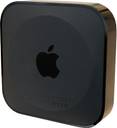
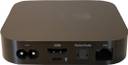
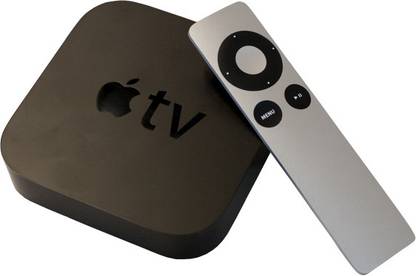
The Apple TV 8 GB

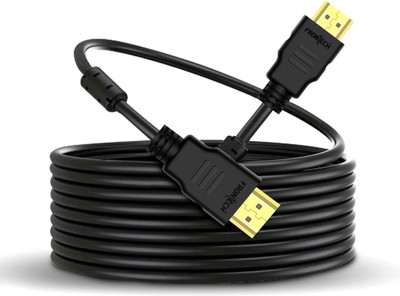
- Type: HDMI
| Sales Package |
|
| HDMI |
|
| HDMI Ports |
|
| Warranty Summary |
|
| Covered in Warranty |
|
| Not Covered in Warranty |
|
| Warranty Service Type |
|
| Brand |
|
| Type |
|
| Ideal For |
|
| Enclosure Type |
|
| Model Name |
|
| Key Features |
|
| Other Features |
|
| Width x Height x Depth |
|
| Weight |
|
| Video Resolution |
|
| Other Audio Video Features |
|
| Other Audio Video Connectors |
|
- 5★
- 4★
- 3★
- 2★
- 1★
- 70
- 20
- 9
- 5
- 10

Convenient, but a tad cumbersome
The device as it is, does exactly what you expect. It plays content from your itunes library, can stream content from a local computer's itunes library, can play media through it's built in apps and also mirror OSX (Mountain lion and later...
Nikhil Menon
Certified Buyer, Bangalore
Dec, 2013
unknown problems with this box
least did i know this expensive product will make me throw my hands up in the air and say i give up. the airplay wont work more than 20 mins at a stretch.
i tried to rule out router and broadband problems and i did.(i have the fastest consumer broadband speed available in my city and a very reliable n-router)
i have tried posting on apple forums and have not got a fix to th...
prithvi
Oct, 2013
Must have incase you have an iPad/Iphone
Pros:
1. Mirroring feature works like a charm.
2. Turns your normal HDTV to a Smart TV.
3. You tube.
4. Home sharing allows access to media over a WI-FI network.
Cons:
1. Everything linked to iTunes. Hence it supports limited video formats.
2. Mirroring feature is not compatible with non apple products.
3. It comes with limited Apps like You Tube, Vimeo, etc. No new Apps could be installed.
Bottom-line:
Taking into account of the above Pros...
Rathna Kumar Kasirajan
Certified Buyer, Chennai
Jan, 2014
Apple TV
Apple TV is extremely user friendly. The selection of new movies is limited on itunes store. Hopefully, it should improve over time. You can play y...
Vijay Kumar R
Oct, 2014
excellent product
Aasheesh Khanna
Certified Buyer, Panchkula
Dec, 2013
Got what was expected
The product was delivered on time and in perfect condition. It had the original receipt from iPlanet store.
Niranjan Sarkar
Certified Buyer, New Delhi
Dec, 2014
Useful is you have a an iPad/ iPhone/ HDTV/ Great Broadband
The Apple TV interface is as polished as you would expect, and easy to navigate with the slender stick of solid MacBook-like aluminium that forms its remote control. There's a downloadable remote-control app for iPhone/iPad that extends...
Saurabh Prashar
Apr, 2015
Works very well..
Shivaansh Prasann
Oct, 2013
Amazing Product from Apple
2. Played bluray print movie from iMac to LED TV without lag for complete movie.
3. Iphone and iPad airplays in an instant.
4. Watch iTunes festival and all apple events directly and replays.
Overall a very amazing product.
GOVINDRAJ PAI
Certified Buyer, Mumbai
Sep, 2014
excellent product
Nishigandh Khandekar
Certified Buyer, Vasai
Apr, 2014
Enjoy watching high-definition blockbusters, stream live games and highlights from sport channels, and stay updated with the latest business reports from Wall Street Journal Live and Bloomberg TV, all through this small device that fits in the palm of your hand. The Apple Remote makes it easy to select your favourite entertainment.
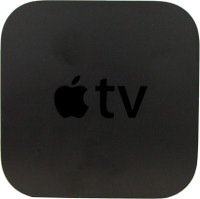
Use iCloud to store photos, videos and movies and view them on your iPad, iPhone, iPod touch, Mac, or PC. You can wirelessly access the content on your HDTV through the Apple TV. Share your favourite moments and music conveniently on your HDTV with up to six family members using the Family Sharing feature.
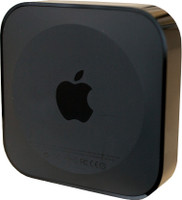
Make anytime movie time with this device that lets you select thousands of blockbuster movies and classic films from iTunes. Thanks to new channels being added all the time, you can expect something good every time you tune into your TV.
Wirelessly stream content from your iPhone, iPad, iPod touch, and Mac on to your HDTV and experience movies come alive on the big screen. The Peer-to-peer AirPlay allows even guests to share content from their Mac or iOS device to your TV. View the content displayed on iPad, iPhone, iPod touch, and Mac screen directly on to the big screen using the AirPlay Mirroring.
AirPlay
Mirroring
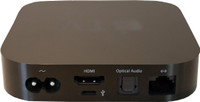
Plug the power lead into the wall and connect this simple to install Apple TV to your high-definition TV using an HDMI cable that is sold separately. Turn on the Bluetooth of your iPhone or iPad and stand close to the Apple TV. This device will automatically detect the home Wi-Fi network and receive your account settings.