

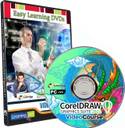
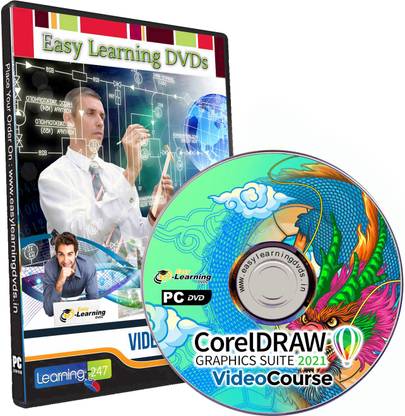
Easy Learning CorelDRAW 2021 Graphic Design Beginners Bootcamp Video Course (DVD)
Price: Not Available
Currently Unavailable
Highlights
- Educational Board: General
- Subjects: Information Technology
- Classes: Applicable For All
- Available in DVD
- Disks Included: 1
Description
CorelDRAW 2021 Essential Training
Introduction
Become proficient in CorelDRAW
1. The Welcome Screen
Getting started
Using one of the workspaces
The Store tab
2. The Interface
Exploring the drop-down menus
Examining the toolbars
Discovering the toolbox
Understanding dockers
The Mac interface
3. Getting Started
Setting up the page
Starting with a template
Grids, rulers, and guides
Calibrating the screen
Managing multi-page documents
Master pages and page numbering
Understanding file formats
The export docker
4. The Toolbox
Using the Pick tool
Exploring the Shape edit flyout
Exploring the Crop tool flyout
Using the Zoom & Pan tools
Exploring the curve flyout
Drawing tools
Creating basic shapes
Dealing with dimension lines
Outlines and corner control
Looking at the interactive tool flyout
Other interactive tools
5. Working with Fonts
Understanding fonts
Installing fonts
Corel Font Manager
Types of text
Working with Variable fonts
6. Working with Objects
Shaping commands
Grouping and ungrouping
Various alignment commands
Copying vs. duplicate and Paste Special
Challenge: Creating a logo
Solution: Creating a logo
7. Working with Bitmaps
Importing bitmaps
Cropping, resizing, and rotating bitmaps
Reshaping bitmaps
PowerTRACE
Resampling bitmap images
Exporting web graphics
Bitmap effects
8. Useful Tools
Using Find & Replace
Exploring Corel CONNECT
Drawing in perspective
Examining scripts and macros
Publishing to PDF
Learning all about object styles
9. Understanding Color
Color theory
Color palettes
Creating a new color palette
Getting started with color management in CorelDRAW
Challenge: Creating a business card
Solution: Creating a business card
10. Printing
Discovering the print dialogs tabs
Working with Print Merge on the PC
Print Merge on the Mac
Challenge: Print Merge
Solution: Print Merge
11. Workspace Customization
Creating keyboard shortcuts on the PC
Keyboard shortcuts on the Mac
Workspace customization on the Mac
Creating a custom toolbar
Changing the appearance
Changing the default properties
Exporting and sharing workspaces
Resetting all defaults
Workspace homework assignment
Conclusion
Next steps
Complete CorelDRAW 2021 Graphic Design | Beginners Bootcamp
What you'll learn
You will be able to understand and use CorelDraw tools.
You will be able to create 2D objects and texts using basic shapes and effect tool.
You will understand the use of basic tools and how to set your workspace as a beginner.
You will create and trace pictures in CorelDraw.
All the basics you need as a beginner to advance in CorelDraw.
You will learn how to use pick and shape tools
Requirements
CorelDRAW Version 2021 installed.
No Skill required.
Description
CorelDRAW is an advanced computer graphic editing software that includes various types of alteration and transformation of images and pages capabilities. The CorelDRAW program is part of the package of Corel Graphics Suite designed by Corel Corporation, which has several versions from the most basic to the most advanced and latest.
This software is used in fields of graphic arts and communication in order to produce, edit, and transform images to digital level. It is a vector drawing application, layout tools, effects and functions about images and pages and retouching and editing multiple alternatives.
It is often used to generate images and graphics from scratch, but also allows you to edit photographs, drawings and other graphics to correct imperfections or defects or even to provide different effects of chroma, brightness, contrast, tonal curve, special effects, transparency, blends and fades and others.
Between its versions, the software includes CorelDRAW 9, 10, 12, Graphics Suite X 3 and X 4. It is part of a package of programs, which includes the editor of bitmap or bitmap Photo-Paint, Corel POWERTrace Vectorizer, the Bitstream, and other applications such as CorelMOTION or CorelDREAM 3D. On the other hand, the package includes fonts, photos, brushes, clip art and other complementary aggregates.
In addition to being one of the most popular programs, CorelDRAW is also recognized as one of the most sophisticated software in image editing.
Its most recognized characteristics on the market, include the versatility that has to use it on different tasks and operations of graphic design, advertising, press, web design, architecture, industrial and textile design, billboards and others, the compatibility with files of different formats of vector graphics, bitmaps and others, and with similar programs and usability in terms of ways to personalize it to taste and choice of each user.
Who this course is for:
Beginners who want to advance in Graphic Design.
Anyone who wants to Master CorelDraw as a professional.
Read More
Specifications
In The Box
|
General
| Subjects |
|
| Is Digital Product |
|
| Media Format |
|
| Classes |
|
| Brand |
|
| Model Name |
|
| Model Id |
|
| Num Of Disks |
|
| Education Board |
|
Be the first to ask about this product
Safe and Secure Payments.Easy returns.100% Authentic products.


Back to top