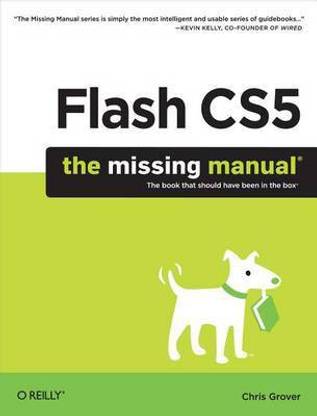
Flash Cs5: The Missing Manual (English, Electronic book text, Grover Chris)
- Language: English
- Binding: Electronic book text
- Publisher: O'Reilly Media
- Genre: Computers
- ISBN: 9781449393793, 9781449393793
- Pages: 778
Once you know how to use Flash, you can create everything from simple animations to high-end desktop applications, but it's a complex tool that can be difficult to master on your own-unless you have this Missing Manual. This book will help you learn all you need to know about Flash CS5 to create animations that bring your ideas to life.
- Learn animation basics. Find everything you need to know to get started with Flash
- Master the Flash tools. Learn the animation and effects toolset, with clear explanations and hands-on examples
- Use 3D effects. Rotate and put objects in motion in three dimensions
- Create lifelike motion. Use the IK Bones tool to simulate realistic body movements and other linked motions
- Speed up development. Use templates, code snippets, and motion presets
- Design applications. Get an intro to building full desktop applications with Flash and Adobe AIR
- Create rich interactive animations. Dive into advanced interactivity with easy-to-learn ActionScript examples
About the Author
Christopher Grover lives in Fairfax, California with his wife and two daughters. Chris received degrees in Creative Writing and Film from Emerson College in Boston, Massachusetts. He's worked as a technical writer, advertising copywriter and product publicist for more than 25 years. His freelance articles have been published in a variety of magazines from Fine Homebuilding to CD-ROM World. Chris's latest project is launching Bolinas Road Creative, an agency that helps small businesses promote their products and services. He's also the author of Word 2007: The Missing Manual and Word 2007 for Starters: The Missing Manual.
Table of Contents
Creating a Flash Animation
- Chapter 1 Getting Around Flash
Chapter 2 Creating Simple Drawings
- Starting Flash
- A Tour of the Flash Workspace
- Panels and Toolbars
- The Flash CS5 Test Drive
Chapter 3 Animate Your Art
- Plan Before You Draw
- Preparing to Draw
- Drawing a Shape
- Choosing a Drawing Mode
- Creating Original Artwork
- Copying and Pasting Drawn Objects
- Adding Color
- Frame-by-Frame Animation
- Editing Your Frame-by-Frame Animation
- Making It Move with Motion Tweens
- Editing the Motion Path
- Copying and Pasting Properties
- Shape Tweening (Morphing)
Advanced Drawing and Animation
Chapter 4 Organizing Frames and LayersChapter 5 Advanced Drawing and Coloring
- Working with Frames
- Working with Multiple Layers
- Organizing Layers
- Spotlight Effect Using Mask Layers
Chapter 6 Choosing and Formatting Text
- Selecting Graphic Elements
- Manipulating Graphic Elements
- Spray Painting Symbols
- Drawing with the Deco Tool
- Advanced Color and Fills
Chapter 7 Reusable Flash: Symbols and Templates
- Text Questions
- Choosing TLF or Classic Text
- About Typefaces and Fonts
- Adding Text to Your Document
- Choosing and Using Text Containers
- Animating Text Without ActionScript
- Text Properties by Subpanel
Chapter 8 Advanced Tweens with the Motion Editor
- Symbols and Instances
- Templates
Chapter 9 Realistic Animation with IK Bones
- Applying Motion Presets
- Modifying a Motion Preset
- Editing a Tween Span
- A Tour of the Motion Editor
- Changing Transparency with the Motion Editor
- Easing Tweens
Chapter 10 Incorporating Non-Flash Media Files
- Linking Symbols with Bones
- Perfect Posing with Control Handles
- Baby Steps with Pins
- Making Shapes Move with Bones
- Apply Spring to a Motion
- Animating an Armature with ActionScript
Chapter 11 Incorporating Sound and Video
- Importing Graphics
- Importing Illustrator Graphics Files
- Importing Photoshop Graphic Files
- Importing Fireworks Graphics
- Editing Bitmaps
- Editing Bitmaps with Photoshop
- Importing a Series of Graphics Files
- Exporting Graphics from Flash
- Incorporating Sound
- Incorporating Video
- Importing Video Files
Adding Interactivity
Chapter 12 Introduction to ActionScript 3Chapter 13 Controlling Actions with Events
- Getting to Know ActionScript 3
- Beginning Your ActionScript Project
- Object-Oriented Thinking
- Using Data Types, Variables, and Constants
- Conditionals and Loops
- Combining ActionScript’s Building Blocks
Chapter 14 Organizing Objects with the Display List
- How Events Work
- Mouse Events
- Getting Help for Events and Event Listeners
- Creating a Tabbed Window with Mouse Events
- Keyboard Events and Text Events
- Keeping Time with TimerEvent
- Removing Event Listeners
- In Case of Other Events
Chapter 15 Controlling the Timeline and Animation
- The Display List: Everything in Its Place
- Adding Objects to the Display List
- Managing the Stacking Order
- Summary of Properties and Methods
Chapter 16 Components for Interactivity
- Slowing Down (or Speeding Up) Animation
- Timeline Stop and Go
- Organizing Your Animation
- Looping a Series of Frames
- Reversing a Series of Frames
Chapter 17 Choosing, Using, and Animating Text
- Adding Components
- The Built-In Components
- Finding Additional Components
Chapter 18 Drawing with ActionScript
- What Font Does Your Audience Have?
- Controlling Text with ActionScript
- Creating Text Fields with ActionScript
- Positioning, Sizing, and Formatting a Text Field
- Formatting Characters and Paragraphs
- Formatting with HTML and CSS
- Choosing the Right Text Formatting System
- What’s the Point?
- Beginning with the Graphics Class
- Drawing Lines
- Drawing Curves
- Drawing Built-In Shapes
- Drawing Irregular Shapes
- Making Drawings Move
- Shapes, Sprites, and Movie Clips for Drawings
- Removing Lines and Shapes
Debugging and Delivering Your Animation
Chapter 19 Testing and Debugging Your AnimationChapter 20 Publishing and Exporting
- Testing Strategies
- Testing on the Stage
- Using the Test Movie Commands
- Testing Inside a Web Page
- Testing Download Time
- The Art of Debugging
- Analyzing Code with the Debugger
Chapter 21 Introducing Adobe AIR
- Optimizing Flash Documents
- Publishing Your Animations
- Exporting Flash to Other Formats
Chapter 22 Making iPhone Apps
- Meet Adobe AIR
- Creating Your First AIR Application
- Create a Code Signing Certificate
- Convert a Flash Animation to AIR
- Publish Your AIR Application
- Manually Install Adobe AIR Runtime
Chapter 23 Building Android Apps
- Your First “Hello iPad” App
- Joining the iOS Developer Program
- Creating an iOS App that Responds to Gestures
- Air for iOS App Settings
- Publishing, Installing, and Testing Your App on an iDevice
- Building a Tap-Ready App
- Tips for iOS App Development
- Meet AIR for Android
- App Building with the Android Accelerometer Template
- Building Apps for Both iOS and Android
- Tips for Android App Development
Appendixes
Appendix Installation and HelpAppendix Flash Professional CS5.5, Menu by Menu
- Flash CS5.5 Minimum System Requirements
- Installing and Activating Flash Professional CS5.5
- Uninstalling and Deactivating Flash Professional CS5.5
- Getting Help from Flash
- Getting Help from Adobe
- More Flash Books
- Finding Flash Gurus
- File
- Edit
- View
- Insert
- Modify
- Text
- Commands
- Control
- Debug
- Window
- Help
Colophon
| Imprint |
|