

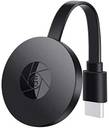
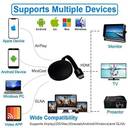
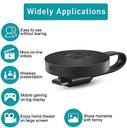
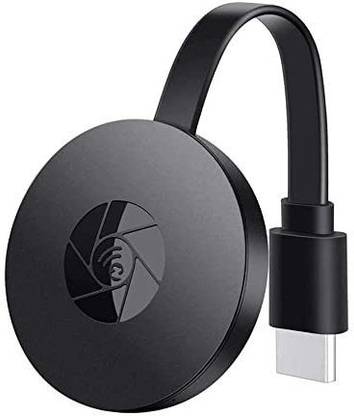
SCREEN MIRRORING Wi-Fi HDMI Display TV Dongle WiFi Cromecaster Display Dongle Media Streaming Device (Black)
Price: Not Available
Currently Unavailable
Warranty
NO
Highlights
- Type: HDMI
Description
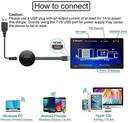
Your Android screen will be shown on your TV, reconnect if necessary. Wait for connection main
screen after power on.Short Press the MODE key( Key on receiver HDMI Dongle) to switch to DLNA
mode. In your phone go to Airplay>Choose Display_CXXX_Miracast and done. INSTALLATION Turn on
your TV and power up the ELOQUENCE dongle by connecting the USB cable from the dongle to a USB
adapter (5V2A). Please place the WiFi receiver at a location with good WiFi reception.
Connect the ELOQUENCE dongle directly into an HDTV input port on your TV. Set your TV’s
Source/Input selection to HDTV input port connected to the ELOQUENCE dongle Your ELOQUENCE
dongle now starts up and will display instructions on your TV screen. Follow the instructions
to complete setup
Read More
Specifications
In The Box
| Sales Package |
|
General
| Brand |
|
| Type |
|
| Color |
|
| Model Name |
|
Hdmi Connectors
| HDMI |
|
Warranty
| Warranty Summary |
|
| Covered in Warranty |
|
| Not Covered in Warranty |
|
| Warranty Service Type |
|
Be the first to ask about this product
Safe and Secure Payments.Easy returns.100% Authentic products.
Back to top