

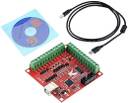
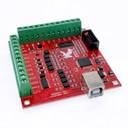
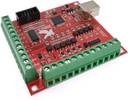
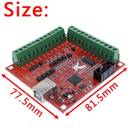
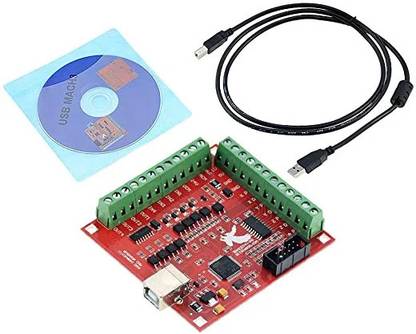
ZATOMIC MACH 3 Breakout Board CNC USB 100Khz 4 Axis Interface Driver +USB Cable+CD Motion Controller (Multicolor, For PC)
Price: Not Available
Currently Unavailable
Warranty
None
Description
For installation refer to this link
https://buildyourcnc.com/item/electronicsAndMotors-electronic-component-breakout-Mach3-USB-Board
This type of CNC USB MACH3 Controller Card is of strong anti-interference ability, the frequency converter interface is isolated from the computer and the main control circuit,. The interference signal will not be introduced because of the introduction of the external strong current equipment.
The interface output 0-10V analog signal also can be configured as a 0-5V output, convenient for you to choose the type you need.
To make the system more stable, you can use an external 24V DC power supply to isolate USB and external ports.
Super USB interface Mach3 motion control card, free drive, simple configuration, and good compatibility. Specially designed for
notebook and tablet PC, with support for 4-axis linkage, you can connect four stepper motor drives or servo drives.
Breakout Board CNC USB MACH3 Features:
1. Support for 4-axis connection, which can connect four stepper motor units or servo drives;
2. The maximum step-pulse frequency is 100KHz, which is suitable for servo or stepper motor;
3. Supports automatic probe tool
4. Supports emergency entry
5. Supports limit switch
6. Support to connect the electronic steering wheel
7. You need to use an external 24V DC power supply to isolate the USB and external port, and to make the system more stable
8. It has a 0-10V output port, you can use mach3 software to control the spindle motor speed.
9. 4 commonly used inputs, you can connect the limit switch, estop switch, probe switch, reset to zero, and other devices
10. 4 commonly used isolated relay output interfaces, can drive four relays to control spindle start, turn forward and turn back,
pumps and other devices
11. 1 Status LED, indicates connection status on the board
Setup Instructions
Step 1: Installing Mach3: You will need to purchase a Mach3 license and download the software. If you already have a licensed copy
of Mach3, skip this step.
Step 2: Download the USB Motion Driver RnRMotion.dll from the link above and copy and paste the file into your Mach3 Plugins
folder Example: “C:/Users/Program Files/Mach3/Plugins”
Step 3: Make sure your board is connected to the PC via a USB cable. It should automatically recognize the USB device.
Step 4: Open Mach3 and you should be prompted to select a driver. Select the “RnR Motion Controller” and check “Don’t ask me again”.
This will allow your board to communicate with Mach3.
Step 5: Download the XML Mach3 Config File above by right-clicking on the link and selecting “save as”. Save the Mach3Mill.xml
file in your Mach3 root folder.
Read More
Specifications
In The Box
|
General Specifications
| Brand |
|
| Model |
|
| Color |
|
| Os Supported |
|
| Platform |
|
| Interface |
|
| Key Features |
|
Dimensions
| Weight |
|
Additional Features
|
Warranty
| Domestic Warranty |
|
| International Warranty |
|
| Warranty Summary |
|
| Covered in Warranty |
|
| Not Covered in Warranty |
|
Be the first to ask about this product
Safe and Secure Payments.Easy returns.100% Authentic products.

Back to top