

Get notified when this item comes back in stock.
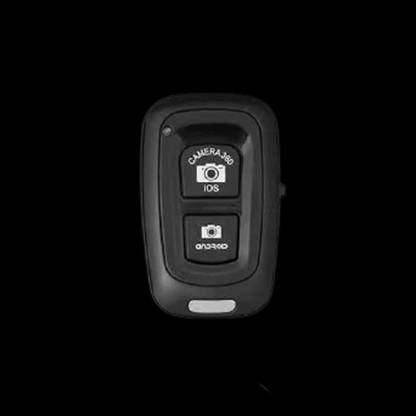
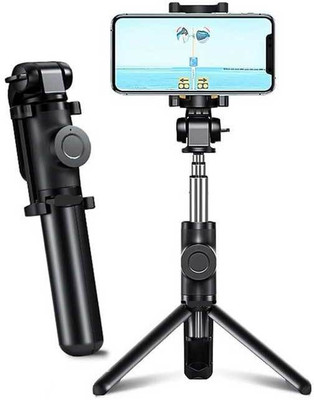
KANHA EMPIRE Bluetooth Remote Shutter Controller for Selfie with All Devices Bluetooth K29 Camera Remote Control (Black)
Share
KANHA EMPIRE Bluetooth Remote Shutter Controller for Selfie with All Devices Bluetooth K29 Camera Remote Control (Black)
Be the first to Review this product
Special price
₹236
₹1,599
85% off
Sold Out
This item is currently out of stock
Warranty
NA
Highlights
- Compatible With: Cameras, Mobiles, Tablets
- Wireless
- Maximum Operating Range: 10
- Functions: Bluetooth selfie shutter remote works for selfie sticks with one click photo capturing, bluetooth remote shutter-Turn on the remote control switch, and the blue light flashing. 2: Turn on the Bluetooth-compatible of the mobile phone, search for the new devices, and then connection.3: After pairing and connecting, open the camera on the phone. 4:use for SMARTPHONE OR IOS PHONEcan be directly remote controlled by the camera shutter. 5: Part of Android phones can also be controlled by the camera shutter. 6: For the Android phones IF.....that can not controlled directly via the shutter, please download camera360 software, open camera360 software, click the Settings icon on the upper right corner of the phone, Advanced Settings, and then the camera settings, set the volume button options to take photos.
- Shutter Release Delay: 2-4 SEC
Seller
Description
New Bluetooth-compatible Remote Shutter Wireless Remote Control Button For Phone Camera Selfie . The Bluetooth Remote Shutter allows you to place your iOS and android smartphone or tablet with in bluetooth range to take self portraits of you and your friends.bluetooth remote Controls Everyone can be in the picture with bluetooth Shutter. pair your device with the AB Shutter and enjoy taking great pictures. And to make it even better, video shutter remote Pocket-size design allows you to take it everywhere. Taking group photos or for yourself has never been easier.
Read More
Specifications
In The Box
|
General
| Brand |
|
| Other Features |
|
| Wireless |
|
| Wireless Type |
|
| Controls |
|
| Shutter Release Delay |
|
| Maximum Operating Range |
|
| Functions |
|
| Battery Type |
|
| Color |
|
| Model ID |
|
| Designed For |
|
| Compatible With |
|
Warranty
| Warranty Summary |
|
| Covered In Warranty |
|
Be the first to ask about this product
Safe and Secure Payments.Easy returns.100% Authentic products.
Back to top