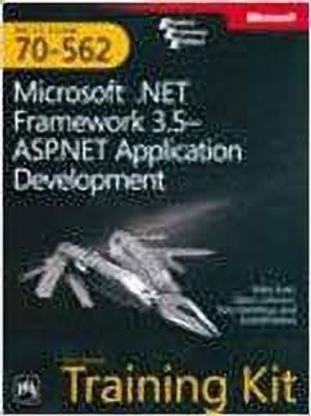
Microsoft .Net Framework 3.5 ? ASP.Net Application Development (English, Hardcover, Snell)
Microsoft .Net Framework 3.5 ? ASP.Net Application Development (English, Hardcover, Snell)
- Language: English
- Binding: Hardcover
- Publisher: Prentice-Hall of India Pvt.Ltd
- Genre: Computers
- ISBN: 9788120338050, 8120338057
- Edition: 2009
- Pages: 384

This 2-in-1 Self-Paced Training Kit features official exam prep and practice for Exam 70-562. It helps maximize performance on 70-562, a required exam for the new Microsoft Certified Technology Specialist (MCTS): Microsoft .NET Framework 3.5—ASP.NET Application Development certification. Focusing on ASP.NET application development, the study guide delves into how to create a Website, add and configure server controls, customize a web application, work with ASP.NET AJAX and client-side scripting, use ADO.NET and XML with ASP.NET, work with data-bound controls and DataSource objects, write services, implement authentication and authorization, and create ASP.NET mobile Web applications.
Table of Contents
- Introduction
- System Requirements
- Hardware Requirements
- Software Requirements
- Microsoft Certified Professional Program
- Technical Support
- Evaluation Edition Software Support
- Chapter 1 Introducing ASP.NET 3.5
- Before You Begin
- Lesson 1: Understanding the Players
- The Web Server’s Role
- The Web Browser’s Role
- Understanding the Role of Hypertext Transfer Protocol
- Lesson Summary
- Lesson Review
- Lesson 2: Creating a Web Site and Adding New Web Pages
- Creating Web Sites
- Creating ASPX Pages
- Web Site Compilation
- Lesson Summary
- Lesson Review
- Lesson 3: Working with Web Configuration Files
- Understanding the Configuration File Hierarchy
- Processing the Configuration Files
- Editing Configuration Files
- Lesson Summary
- Lesson Review
- Chapter Review
- Chapter Summary
- Case Scenarios
- Suggested Practices
- Create a New Web Site Using Visual Studio 2008
- Add a Web Page to the Web Site
- Program a Web Application
- Configure Settings for a Web Application
- Take a Practice Test
- Chapter 2 Adding and Configuring Server Controls
- Before You Begin
- Lesson 1: Understanding and Using Server Controls
- Understanding the Life Cycle of an ASP NET Web Page and Its Controls
- HTML vs Web Server Controls
- HTML Server Controls
- Web Server Controls
- Lesson Summary
- Lesson Review
- Lesson 2: Exploring Common Server Controls
- The Label Control
- The TextBox Control
- The Button Control
- The CheckBox Control
- The RadioButton Control
- Lesson Summary
- Lesson Review
- Lesson 3: Exploring Specialized Server Controls
- The Literal Control
- The Table, TableRow, and TableCell Controls
- The Image Control
- The ImageButton Control
- The ImageMap Control
- The Calendar Control
- The FileUpload Control
- The Panel Control
- The MultiView and View Controls
- The Wizard Control
- The Xml Control
- Lesson Summary
- Lesson Review
- Chapter Review
- Chapter Summary
- Case Scenarios
- Suggested Practices
- Create a New Web Page Using Server Controls
- Create Event Handlers for Pages and Controls
- Program a Web Application
- Take a Practice Test
- Chapter 3 Input Validation and Site Navigation
- Before You Begin
- Lesson 1: Performing Input Validation
- Understanding the Validation Framework
- Understanding the BaseCompareValidator Class
- Understanding the RequiredFieldValidator Control
- Using the CompareValidator Control
- Using the RangeValidator Control
- Using the RegularExpressionValidator Control
- The CustomValidator Control
- Lesson Summary
- Lesson Review
- Lesson 2: Performing Site Navigation
- Is Page Navigation Necessary?
- Choosing a Method to Navigate Pages
- Client-Side Navigation
- Cross-Page Posting
- Client-Side Browser Redirect
- Server-Side Transfer
- Using the Site Map Web Server Control
- Lesson Summary
- Lesson Review
- Chapter Review
- Chapter Summary
- Case Scenarios
- Suggested Practices
- Create a Web Site and Program Redirection
- Create a Data Collection Page with Validation
- Implement the HyperLink Web Server Control
- Take a Practice Test
- Chapter 4 ASP.NET State Management
- Before You Begin
- Lesson 1: Using Client-Side State Management
- Choosing Client-Side or Server-Side State Management
- View State
- Hidden Fields
- Cookies
- Query Strings
- Lesson Summary
- Lesson Review
- Lesson 2: Using Server-Side State Management
- Application State
- Session State
- Profile Properties
- Lesson Summary
- Lesson Review
- Chapter Review
- Chapter Summary
- Case Scenarios
- Suggested Practices
- Manage State by Using Client-Based State Management Options
- Manage State by Using Server-Based State Management Options
- Maintain State by Using Database Technology
- Respond to Application and Session Events
- Take a Practice Test
- Chapter 5 Customizing and Personalizing a Web Application
- Before You Begin
- Lesson 1: Using Master Pages
- Overview of Master and Content Pages
- Creating a Master Page
- Creating Content Pages
- Attaching Master Pages to Content Pages
- Referencing Master Page Properties and Controls from Content Pages
- Handling Events When Working with Master Pages
- Creating Nested Master Pages
- Dynamically Changing Master Pages
- Lesson Summary
- Lesson Review
- Lesson 2: Using Themes
- Themes Overview
- Creating a Theme
- Creating a Skin File
- Adding a Cascading Style Sheet to Your Theme
- Rules for Applying Themes
- Applying a Theme Programmatically
- Lesson Summary
- Lesson Review
- Lesson 3: Using Web Parts
- What Are Web Parts?
- The WebParts Namespace
- Defining Web Part Zones
- Creating Web Parts
- Enabling Users to Arrange and Edit Web Parts
- Connecting Web Parts
- Personalizing Web Parts
- Lesson Summary
- Lesson Review
- Chapter Review
- Chapter Summary
- Case Scenarios
- Suggested Practices
- Implement a Consistent Page Design by Using Master Pages
- Customize a Web Page by Using Themes and User Profiles
- Implement Web Parts in a Web Application
- Take a Practice Test
- Chapter 6 Working with ASP.NET AJAX and Client-Side Scripting
- Before You Begin
- Lesson 1: Creating AJAX-Enabled Web Forms
- Introducing ASP NET AJAX
- The AJAX Server Controls
- Lesson Summary
- Lesson Review
- Lesson 2: Creating Client Scripts with the AJAX Client-Side Library
- Creating Your Own Client Scripts
- Creating Your Own Client Callbacks
- Working with the ASP NET AJAX Library
- Building Client Capabilities with AJAX
- Lesson Summary
- Lesson Review
- Chapter Review
- Chapter Summary
- Case Scenarios
- Suggested Practices
- Add Partial-Page Update Support to a Page
- Create Client Code Using the Microsoft AJAX Library
- Take a Practice Test
- Chapter 7 Using ADO.NET, XML, and LINQ with ASP.NET
- Before You Begin
- Lesson 1: Using the ADO NET Disconnected Classes
- Getting Started with the DataTable Object
- Using a DataSet Object
- Using LINQ to DataSet to Query Data
- Lesson Summary
- Lesson Review
- Lesson 2: Using the ADO NET Connected Classes
- Using Provider Classes to Move Data
- Asynchronous Data Access
- Using LINQ to SQL to Work with Data
- Lesson Summary
- Lesson Review
- Lesson 3: Working with XML Data
- The XML Classes
- Working with XML Documents
- Validating XML Documents
- Using LINQ to XML
- Lesson Summary
- Lesson Review
- Chapter Review
- Chapter Summary
- Case Scenarios
- Suggested Practices
- Create a Web Page for Updating Database Data
- Create a Web Page for Editing Disconnected Data
- Create a Web Page for Editing Connected Data
- Create a Web Page for Working with XML Data
- Create a Web Page for Reading, Modifying, and Writing XML Data
- Take a Practice Test
- Chapter 8 Working with Data Source and
- Data-Bound Controls
- Before You Begin
- Lesson 1: Connecting to Data with Data Source Controls
- Understanding the Data Source Controls
- Using Objects as Data Sources with ObjectDataSource
- Connecting to Relational Databases with SqlDataSource
- Working with Microsoft Access Data Files and AccessDataSource Controls
- Connecting to XML Data Using XmlDataSource
- Connecting to LINQ-Based Data with LinqDataSource
- Connecting to Site Navigation Data with SiteMapDataSource
- Lesson Summary
- Lesson Review
- Lesson 2: Working with Data-Bound Web Server Controls
- Introducing Data-Bound Controls
- Simple Data-Bound Controls
- Composite Data-Bound Controls
- Hierarchical Data-Bound Controls
- Lesson Summary
- Lesson Review
- Chapter Review
- Chapter Summary
- Case Scenarios
- Suggested Practices
- Create Pages Using Each of the Controls
- Create a Master-Detail Solution Using the Data-Bound Server Controls
- Take a Practice Test
- Chapter 9 Writing and Working with Services
- Before You Begin
- Lesson 1: Creating and Consuming XML Web Services
- Creating an ASP NET Web Service
- Consuming an ASP NET Web Service
- Security and XML Web Services
- Lesson Summary
- Lesson Review
- Lesson 2: Creating and Consuming WCF Services
- Presenting Windows Communication Foundation (WCF)
- Creating a WCF Service with ASP NET
- Consuming a WCF Service in an ASP NET Page
- Calling a WCF Service from Client Script Using AJAX (REST and JSON)
- Lesson Summary
- Lesson Review
- Chapter Review
- Chapter Summary
- Case Scenario
- Suggested Practices
- Working with XML Web Services
- Working with WCF Services and ASP NET
- Take a Practice Test
- Chapter 10 Creating Custom Web Controls
- Before You Begin
- Lesson 1: Working with User Controls
- Creating User Controls
- Defining User Control Events
- Defining Properties in User Controls
- Adding a User Control to a Page
- Dynamically Loading User Controls
- Creating a Templated User Control
- Lesson Summary
- Lesson Review
- Lesson 2: Working with Custom Web Server Controls
- Creating a Custom Web Server Control
- Adding Toolbox Support for a Custom Web Server Control
- Creating a Custom Designer for a Custom Control
- Creating a Composite Control
- Creating a Templated Custom Web Control
- Lesson Summary
- Lesson Review
- Chapter Review
- Chapter Summary
- Case Scenarios
- Suggested Practices
- Create a New Custom User Control
- Create a New Custom Web Server Control
- Create a New Composite Web Server Control
- Create a New Templated Control
- Take a Practice Test
- Chapter 11 Programming the Web Application
- Before You Begin
- Lesson 1: Using Web Site Programmability
- Page and Application Exception Handling
- Programming the Web config File Settings
- Asynchronous Web Page Programming
- Creating a Custom HTTP Handler
- Lesson Summary
- Lesson Review
- Lesson 2: Using the ASP NET Intrinsic Objects
- Page and Application Context Overview
- Determining the Browser Type
- Accessing Web Page Headers
- Lesson Summary
- Lesson Review
- Chapter Review
- Chapter Summary
- Case Scenarios
- Suggested Practices
- Using Web Site Programmability
- Using the ASP NET Intrinsic Objects
- Take a Practice Test
- Chapter 12 Monitoring, Troubleshooting, and Debugging
- Before You Begin
- Lesson 1: Debugging an ASP NET Application
- Configuring ASP NET for Debugging
- Defining Custom Errors
- Debugging Remotely
- Debugging Client-Side Script
- Lesson Summary
- Lesson Review
- Lesson 2: Troubleshooting a Running ASP NET Application
- Implementing Tracing
- Monitoring a Running Web Application
- Lesson Summary
- Lesson Review
- Chapter Review
- Chapter Summary
- Case Scenarios
- Suggested Practices
- Debugging a Web Site
- Troubleshooting a Web Site
- Take a Practice Test
- Chapter 13 Globalization and Accessibility
- Before You Begin
- Lesson 1: Configuring Globalization and Localization
- About ASP NET Resources
- Using Local Resource Files
- Using Global Resources
- HTML Layout Best Practices
- Setting the Culture
- Lesson Summary
- Lesson Review
- Lesson 2: Configuring Accessibility
- Public Accessibility Guidelines
- How ASP NET Controls Support Accessibility
- Improving Visual Accessibility 801
- Improving the Accessibility of Forms Requiring User Input
- Testing Accessibility
- Lesson Summary
- Lesson Review
- Chapter Review
- Chapter Summary
- Case Scenarios
- Suggested Practices
- Implement Globalization and Accessibility
- Take a Practice Test
- Chapter 14 Implementing User Profiles, Authentication, and Authorization
- Before You Begin
- Lesson 1: Working with User Profiles
- User Profile Basics
- Configuring a User Profile Provider
- Defining the User Profile
- Identifying Users
- Set and Save a User Profile
- Recognize a Returning Visitor
- Lesson Summary
- Lesson Review
- Lesson 2: Using ASP NET Membership
- Using WSAT to Configure Security
- Login Controls
- The Membership Class
- The Roles Class
- Lesson Summary
- Lesson Review
- Lesson 3: Securing Your Site
- Configuring Web Applications to Require Windows Authentication
- Creating Custom ASP NET Forms to Authenticate
- Web Users
- Configuring Web Applications to Require Passport Authentication
- Configuring Web Applications for Anonymous Access Only
- Configuring Impersonation by Using config Files
- Restricting Access to ASP NET Web Applications, Files, and Folders
- Lesson Summary
- Lesson Review
- Chapter Review
- Chapter Summary
- Case Scenarios
- Suggested Practices
- Establish a User’s Identity by Using Forms Authentication
- Use Authorization to Establish the Rights of an Authenticated User
- Implement Microsoft Windows Authentication and Impersonation
- Use Login Controls to Control Access to a Web Application
- Take a Practice Test
- Chapter 15 Creating ASP.NET Mobile Web Applications
- Before You Begin
- Lesson 1: Building Mobile Applications
- The ASP NET Mobile Web Application Roadmap
- Creating a Mobile Web Application
- Creating Mobile Web Forms
- Viewing and Testing Mobile Web Applications
- Using Mobile Controls
- Maintaining Session State
- Control Grouping for User Input
- Understanding Adaptive Rendering
- Implementing Device-Specific Rendering
- Applying Best Practices to Mobile Applications
- Lesson Summary
- Lesson Review
- Chapter Review
- Chapter Summary
- Case Scenarios
- Suggested Practices
- Creating a Mobile Web Application
- Implement Device-Specific Rendering
- Create a Data-Collection Page with Validation
- Take a Practice Test
- Chapter 16 Deploying, Configuring, and Caching Applications
- Before You Begin
- Lesson 1: Deploying Web Applications
- About Web Setup Projects
- Creating a Web Setup Project
- Creating Launch Conditions
- Writing to the Registry as Part of Deployment
- Adding a Custom Setup Page
- Adding Custom Actions to Your Deployment
- Deploying Web Applications Using a Web Setup Project
- Deploying Web Applications Using the Copy Web Tool
- Precompiling Web Applications
- Lesson Summary
- Lesson Review
- Lesson 2: Using Caching to Improve Performance
- Application Caching
- Page Output Caching
- Programmatically Invalidating Cached Pages
- Lesson Summary
- Lesson Review
- Chapter Review
- Chapter Summary
- Case Scenarios
- Suggested Practices
- Use a Web Setup Project
- Using the Copy Web Tool
- Precompile and Publish a Web Application
- Optimize and Troubleshoot a Web Application
- Take a Practice Test
- Answers
- Index
| Imprint |
|
| Publication Year |
|