

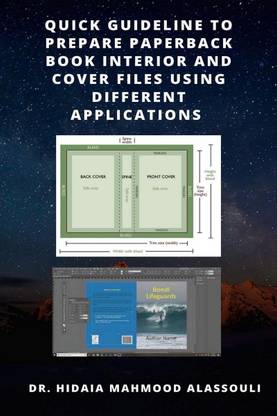
Quick Guideline to Prepare Paperback Book Interior and Cover Files Using Different Applications (English, Paperback, Dr. Hidaia Mahmood Alassouli)
Share
Quick Guideline to Prepare Paperback Book Interior and Cover Files Using Different Applications (English, Paperback, Dr. Hidaia Mahmood Alassouli)
Be the first to Review this product
Special price
₹732
₹855
14% off
Available offers

T&C
T&C
T&C
T&C
Delivery
Check
Enter pincode
Delivery by20 Dec, Saturday
?
View Details
Highlights
- Language: English
- Binding: Paperback
- Publisher: Notion Press
- Genre: Design
- ISBN: 9798885038003
Services
- Cash on Delivery available?
Seller

Description
When you create a paperback book, you need to format and upload two files: a manuscript file, which is the interior of your book, and a cover file, which is the outside of your book including the front, back, and spine. Here I will provide the steps on how to format both files, plus tools and resources to help you get started. The report consists from the following sections: 1. Book spine width calculator. 2. Online cover calculators. 3. Creating Barcode for the book ISBN. 4. Interior and cover files specifications for publishing at KDP amazon and using the cover creator at KDP amazon. 5. Interior and cover files specifications for publishing at Lulu.com and using the cover creator at Lulu.com. 6. Quick guideline for creating a bleed for your publication on Microsoft Word. 7. Quick guideline for creating a bleed for your publication on Adobe and other applications. 8. Configuring Word so that it doesn't compress images. 9. Streetlib.com Paperback book specifications. 10. Feiyr.com cover templates for print on demand books. 11. Creating paper cover using Canva.com. 12. Creating paper cover using Adobe Illustrator. 13. Creating paperback cover using Paint.net Application. 14. Creating paperback cover using Adobe Photoshop Application. 15. Creating paperback cover using Adobe InDesign Application. 16. Creating paperback interior document using Adobe InDesign Application. 17. Creating paperback interior and cover using Adobe InDesign blurb book creator. 18. References.
Read More
Specifications
Book Details
| Imprint |
|
Dimensions
| Height |
|
| Length |
|
| Weight |
|
Frequently Bought Together
Please add at least 1 add-on item to proceed
Be the first to ask about this product
Safe and Secure Payments.Easy returns.100% Authentic products.

Back to top