
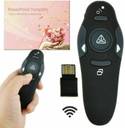
Techtest Wireless Remote Control Laser Presenter Pointer With Clicker Laser Presenter Pointer Presenter

Techtest Wireless Remote Control Laser Presenter Pointer With Clicker Laser Presenter Pointer Presenter  (Black)

Price: Not Available
Currently Unavailable
Warranty
NA
Highlights
  • Number of Buttons: 5
  • For Monitor , Presentation Board , Education , Professional
  • Estimated Range: 300 ft
  • Technology Used: Radio Frequency
Description
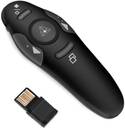
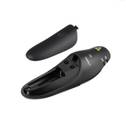
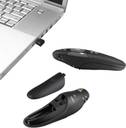
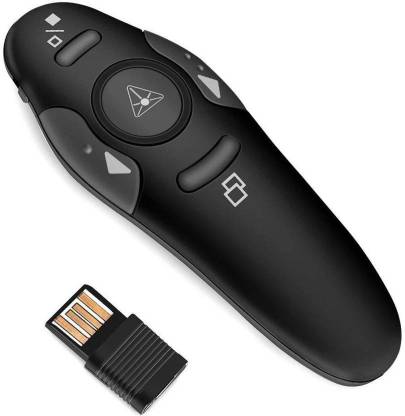
This Laser presenter is a easy to use presenter which fits easily into hand. Its compact size makes it easy to carry anywhere and everywhere. The buttons are placed at some distance from each other which makes it easy to operate.It comes with USB receiver that is plug and play which means that you don't have to install any drivers to run the laser presenter Direction for use: 1) Open the battery slot and remove the USB receiver inside. 2) Insert the battery and close the battery slot. 3) Turn on the power button on the left hand side of the remote 4) Now press the centre round button to check whether the laser light is functional. 5) Insert the USB receiver in the USB slot of your PC or Laptop and you are good to go Buttons & its functions: 1) Left & Right buttons moves the presentation to previous and next slide respectively. 2) Pressing the upper button makes the screen blank. 3) If you want to toggle between slide show and normal mode then press the lower button. We would suggest you to go through the manual carefully before using the laser presenter. In the box: 1x Remote, 1x USB Receiver (placed inside the battery slot), 1x User Manual
Read More
Specifications
Warranty
Warranty Summary
  • NA
Covered in Warranty
  • NA
Not Covered in Warranty
  • NA
Warranty Service Type
  • NA
In The Box
Sales Package
  • 1 x Wireless Presenter with laser pointer, 1 x Ultra-Slim Wireless Receiver, 1 x User Guide , 1 x AAA battery
Number of Contents in Sales Package
  • Pack of 1
General
Brand
  • Techtest
Model Name
  • Wireless Laser Presenter Remote with Clicker , Remote Laser Pointer
Technology Used
  • Radio Frequency
RF Frequency
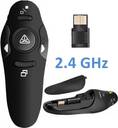
  • 2.4 GHz
Estimated Range
  • 300 ft
Memory Capacity
  • 0 GB
Expandable Upto
  • 0 GB with a NA
Compatible With
  • Monitor , Presentation Board , Education , Professional
Remote Material
  • Plastic
Number of Buttons
  • 5
Digital Display
  • No
Display Type
  • NA
Series
  • Laser Presenter Pointer
Color
  • Black
Model ID
  • Wireless Remote Control Laser Presenter Pointer With Clicker
Net Quantity
  • 1
Additional Features
Other Features
  • Convenient storable USB receiver and laser pointer to control your presentations 2. 4 GHz wireless operation for smooth and immediate response Just Plug and Play - NO need to install drivers Remotely controls your power point presentations from up to 10 meters of distance 4 buttons to control your slide show - Start/End Slideshow, Slide Forward/Back
Key Features
  • Perfect combination by air mouse and wireless presenter and Virtual keyboard to input letter directly,easily control multimedia., Wireless Presenter remote control with 100% Brand New and High Quality Premium, A plug-and-play wireless receiver, there's no software to install.No hassle setup, simply plug into your computer's USB port., Buttons having quick access to different functions are easy to find by touch., Transmitter Features: Switch: Button Material: ABS Light Style: Beam light Light Color: Red Class 3R Battery
Dimensions
Width
  • 1 inch
Height
  • 6.5 inch
Depth
  • 4 inch
Weight
  • 20 g
Other Dimensions
  • 6.5X4X1 Cm
Laser Features
Laser Color
  • Red
Wavelength
  • 650 nm
Pointer Icons
  • Dot
Other Laser Features
  • Presentation Remote Bluetooth Presenter Wireless . Power: 1 Pcs 1.5v AAA Battery (Not Included) Size: 130x90x40mm/5.1x3.5x1.6inch (Approx.) Control Distance: 10m-15m (The effective distance will change with the surrounding environment) Receiver Features: Material: ABS Supported OS: win 2000, XP, Vista, Win7?Win8?Win10?MAC OS, Linux Interface: USB1.1, USB2.0 USB3.0 Size: 65mm x 20mm x 11mm/2.56 x 0.79 x 0.43inch (Approx.)
Power Features
Battery Type
  • 1 1 AAA Size Batteries Size Batteries Size Batteries Size Batteries
Other Power Features
  • laser output : < 5mw , laser Distance : >200m, wavelength: 650 nm
Convenience Features
Inbuilt USB Receiver Storage
  • Yes
Timer
  • No
Timer Settings
  • NA
Power Switch
  • Yes
Volume Control
  • Yes
Wireless Cursor Feature
  • Yes
Battery Low Indicator
  • No
Vibration Alarm
  • No
Other Convenience Features
  • This Laser presenter is a easy to use presenter which fits easily into hand. Its compact size makes it easy to carry anywhere and everywhere. The buttons are placed at some distance from each other which makes it easy to operate. It comes with USB receiver that is plug and play which means that you don't have to install any drivers to run the laser presenter Direction for use: 1. Open the battery slot and remove the USB receiver inside. 2. Insert the battery and close the battery slot. 3. Turn on the power button on the left hand side of the remote 4. Now press the centre round button to check whether the laser light is functional. 5. Insert the USB receiver in the USB slot of your PC or Laptop and you are good to go Buttons & its functions: 1. Left & Right buttons moves the presentation to previous and next slide respectively. 2. Pressing the upper button makes the screen blank. 3. If you want to toggle between slide show and normal mode then press the lower button.
Questions and Answers
Q:is this product work with windows 10.
A:Yes
Anonymous
Certified Buyer
5
0
Report Abuse
Read other answers
Q:Do we need laptop & projector to use this device
A:Yes you need Laptop
Abhishek Sharma
Certified Buyer
3
1
Report Abuse
Q:Is this Windows 10 compatible?
A:Yes
Siddheshwar Awatade
Certified Buyer
1
0
Report Abuse
Q:will it support windows 10
A:Yes.
Sudipta Halder
Certified Buyer
1
0
Report Abuse
Q:does it works on windows 7
A:yes
Anonymous
Certified Buyer
0
0
Report Abuse
Q:led smart Android tv support?
A:Yes but for only PowerPoint presentations . LED light cannot be used on the TV screen .
pavan kumar
Certified Buyer
0
0
Report Abuse
Q:Is it chargeble
A:No...
Sathish Kumar
Certified Buyer
0
1
Report Abuse
Q:Does it support linux power point presentation
A:yes
Flipkart Customer
Certified Buyer
0
0
Report Abuse
Q:how many batteries are required? And is it able to switch the slide up and down or only laser?
A:This device comes/needs 1-battery (AAA-Size). With This user can move Slides Up/Down, LASER, On-off Screen and also can Toggle Presentation Modes
JEETENDRA LODAM
Certified Buyer
5
1
Report Abuse
Q:MacBook? Compatible as I will be using it on a Mac
A:yes
Flipkart Customer
Certified Buyer
0
0
Report Abuse
Safe and Secure Payments.Easy returns.100% Authentic products.
Back to top