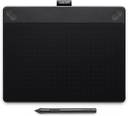
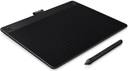


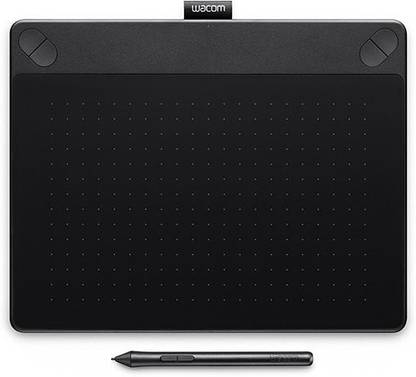
WACOM CTH690AK Intuos Art Pen & Touch Medium - Black 8.5 x 5.3 inch Graphics Tablet Connectivity - USB (Black)
- Connectivity Type: USB
- Input Resolution: 2540 LPI
- Pressure Levels: 1024 on Pen Tip
Bring the characters you imagine to life with this Intuos Art graphics tablet. This tablet comes with tools that let you design, create, and paint digital characters. Explore your creativity with the tablet’s pressure-sensitive pen which lets you switch between pencils, oils, chalks, oils, and watercolor effects. This tablet is designed for both left and right-handed use.
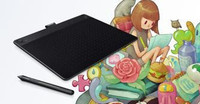
This tablet comes with Wacom's pen-and-touch tablet technology, downloadable creative software, and online training which help you hone your creativity. Intuos Art comes with all the tools, services, and tutorials to help you take your artwork to the next level. Intuos pen is sensitive and works like traditional pens and brushes. Use your pen to design yourself a shirt or to create unconventional digital paintings.

Intuos' pressure-sensitive pen lets you switch between pencils, chalks, oils, and watercolor effects so you have full control over the final effect of your art.
Dive into Corel Painter Essentials 5 software with your Intuos Art to explore more ways to create your next masterpiece.

This tablet comes has multi-touch which lets you use common gestures to zoom, rotate, pan your artwork, and click into applications. ExpressKeys give you access to shortcuts at the press of a button.
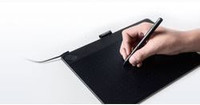
Intuos pressure-sensitive pen and tablet are easy to use and are designed for both left and right-handed use.
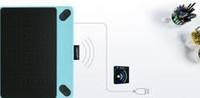
To set up your Intuos, go online, plug the USB into your Mac or PC, install driver from the web download, register your Intuos, and download the creative software. You also have the option of going cordless with a Wacom wireless kit accessory.

This tablet has a wide screen which allows you to work with broader brush strokes. Its compact size allows you to conveniently fit it into a laptop bag.
| Domestic Warranty |
|
| International Warranty |
|
| Warranty Summary |
|
| Covered in Warranty |
|
| Not Covered in Warranty |
|
| Warranty Service Type |
|
| Pen Type |
|
| Switches |
|
| Supported Nib Type |
|
| Battery-free |
|
| Other Pen Features |
|
| Sales Package |
|
| Brand |
|
| Model Name |
|
| Model ID |
|
| Series |
|
| Orientation |
|
| Size |
|
| Color |
|
| Connectivity Type |
|
| Functions |
|
| Type |
|
| Key Features |
|
| System Requirements |
|
| Other Features |
|
| Active Area Width |
|
| Active Area Height |
|
| Tablet Width |
|
| Tablet Height |
|
| Tablet Weight |
|
| Resolution |
|
| Aspect Ratio |
|
| Touch |
|
| Pressure Levels |
|
| Input Resolution |
|
| Tilt Sensitivity |
|
| Display on Tablet |
|
| Hot Keys |
|
| Function Keys |
|
| Configurable Buttons on Tablet |
|
| Power Source |
|
| Battery Type For Pen |
|
| Battery Size For Pen |
|
- 5★
- 4★
- 3★
- 2★
- 1★
- 10
- 3
- 2
- 0
- 3