


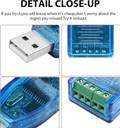
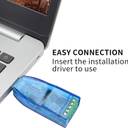
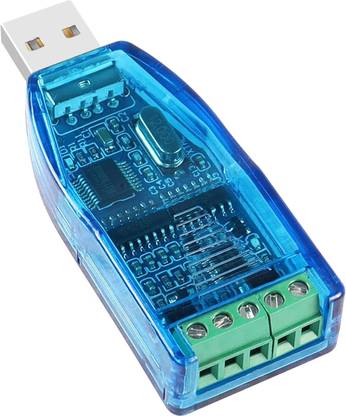
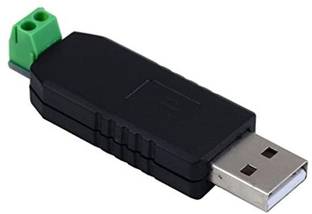
WiredCom USB to RS485 Serial Adapter, CH340/341, 5 Pin RS-485 Converter USB Adapter (Blue)
Share
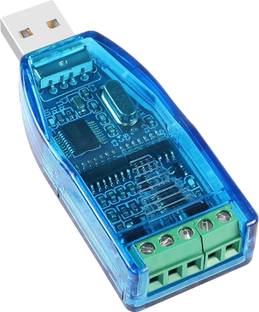
WiredCom USB to RS485 Serial Adapter, CH340/341, 5 Pin RS-485 Converter USB Adapter (Blue)
4.2
16 Ratings & 1 ReviewsSpecial price
₹587
₹899
34% off
Available offers

T&C
T&C
T&C
T&C
Delivery
Check
Enter pincode
Delivery by26 Dec, Friday
?
View Details
Highlights
- Speed: 100 Mbps
- Usb
Services
- Cash on Delivery available?
Seller
Description
The CH340 USB to RS485 Converter Communication Module is a robust device designed for industrial applications. It operates at a voltage of 5V DC and features TVS (Transient Voltage Suppressor) protection. This module ensures reliable data transmission, even in environments with potential transient voltage spikes. It’s an ideal choice for industries requiring secure and efficient communication systems. Installing Driver: To utilize the CH340 USB to RS485 Converter Communication Module, follow these professional steps: 1. Download the CH340 Driver software and Serial communication software. 2. Install the CH340 Driver. 3. Connect the module to your PC and verify its recognition in your PC’s ‘Device Manager’. 4. Open the Serial communication software and use it to send data. The software should display ‘CH340’. If your computer fails to recognize the module, you may need to: 5. Uninstall the driver software. 6. Re-install the driver software or consider using a different computer or USB port. Once you’ve successfully connected the RS485 module to your computer, follow these steps: 7. Check the assigned serial port number in your system’s ‘Device Management Department’. 8. Select the corresponding serial port number in your application software. 9. Open the serial port to send and receive data. With these steps, using the CH340 USB to RS485 Converter Communication Module is straightforward and efficient. Instructions for Wiring: 1. USB Interface: Simply plug the module into your computer’s USB port. 2. RS485 Bus Interface: Connect the ‘A’ interface of the module to the ‘A’ interface of your target device, and the ‘B’ interface of the module to the ‘B’ interface of your target device. Please note that some devices may label ‘A’ as ‘D+’ and ‘B’ as ‘D-’. 3. The RS485 bus can support up to 256 related devices connected simultaneously. These steps ensure a smooth and efficient operation of your USB to RS485 Converter Communication Module.
Read More
Specifications
General
| Brand |
|
| Sales Package |
|
| Model Name |
|
| Maximum Wireless Transmission Rate |
|
| USB Connector |
|
| Model Number |
|
Product Details
| Color |
|
Frequently Bought Together
Please add at least 1 add-on item to proceed
Ratings & Reviews
4.2
★
16 Ratings &
1 Reviews
- 5★
- 4★
- 3★
- 2★
- 1★
- 9
- 4
- 1
- 1
- 1
5
Brilliant
Nice 👍
READ MOREShibu Singha
Certified Buyer, Ranirbazar
10 months ago
1
0
Report Abuse
Be the first to ask about this product
Safe and Secure Payments.Easy returns.100% Authentic products.

Back to top