




Get notified when this item comes back in stock.
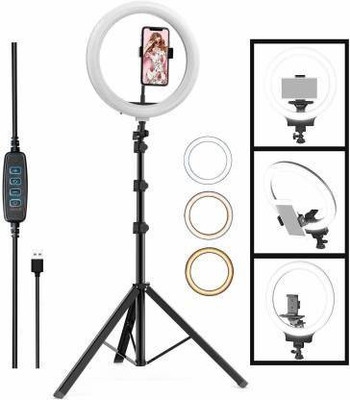
XIANGJIAN XT-02 Tripod (A Black, Supports Up to 500 g)
Share
XIANGJIAN XT-02 Tripod (A Black, Supports Up to 500 g)
4
46 Ratings & 2 ReviewsSpecial price
₹250
₹699
64% off
Sold Out
This item is currently out of stock
Warranty
NA
Color
 A Black
 B Black
 C Black
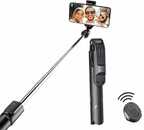 D Black
Please select a Color to proceed
Highlights
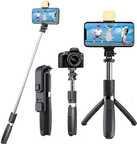
- Designed For: Mobile
- Load Capacity: 500 g
- Height Range: 190 mm - 700 mm
- Material: plastic
Seller
Description
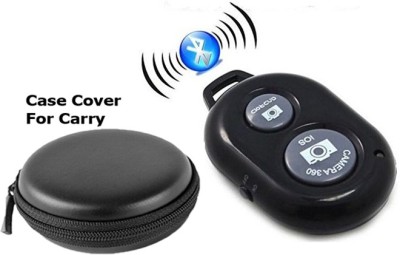
Usage Instructions - Press the camera button for 5 seconds and the blue light flashes to indicate that you have entered the pending wireless connection., Turn on the Bluetooth function of the mobile phone and search. When the name of "Xiong Tu" device appears on the mobile phone, click the name to connect. Waiting for the blue light to go out indicates a successful connection. Then press the photo control key once to control the phone to take photos., If you do not use the selfie stick for a long time, please press the camera button for 5 seconds, then the blue light will flash 3 times and then close, indicating that it has been off.
Read More
Specifications
General
| Sales Package |
|
| Remote Functions |
|
| Pack of |
|
| Other Features |
|
| Net Quantity |
|
Dimensions
| Weight |
|
| Folded Length |
|
Warranty
| Warranty Summary |
|
| Covered in Warranty |
|
| Not Covered in Warranty |
|
| Warranty Service Type |
|
Ratings & Reviews
4
★
46 Ratings &
2 Reviews
- 5★
- 4★
- 3★
- 2★
- 1★
- 26
- 8
- 2
- 4
- 6
Be the first to ask about this product
Safe and Secure Payments.Easy returns.100% Authentic products.
Back to top